



TX Consumer Directed Services (CDS) Resource Center
Introduction
Welcome to the TX Consumer Directed Services Information Center. This page houses information for Service Providers, CDS employees, and CDS employers to learn about working with HHAeXchange. There are videos, slides and more to teach you about methods for clock in and out and the Services Portal. This includes the HHAeXchange Mobile Application, Telephone (landline), and alternative device. These are free tools given to you by the Texas Health and Human Services Commission (HHSC).
How is the mobile application used?
Employees use the HHAeXchange mobile app to clock in and clock out and record duties.
Telephone (Landline)
Each agency will be assigned a unique toll-free number that CDS employees can call from the member’s home phone (landline) to clock in and clock out.
Alternative Device (AD)
An AD is a small device used for Electronic Visit Verification (EVV). EVV can be placed from any phone or via the HHAX Mobile App within seven days of the visit.
What do I need to do?
- Complete the interactive training and/or watch the training videos. CDS Employees please refer to Consumer Directed Training tab and Service Providers please refer to Service Provider Training tab.
- Download the mobile app.
Apple App Store
Google Play Store
What is the Services Portal?
The Services Portal is an online tool that CDS Employers and CDS Employees use to manage homecare visits.
A CDS Employer can:
|
A CDS Employee can:
|
Access to the Services Portal is managed by the FMSA for each CDS Employee, CDS Employer and CDS Employer Representative.
Services Portal: https://ucp.hhaexchange.com/login
Consumer Directed Services: Responsibility Options
- The Consumer Directed Services: Responsibility Options job aid identifies where instructional materials can be found to support each of the EVV responsibility workflow options in form 1722.
Please check back once in a while for new information!
Consumer Directed Training
Upcoming Webinars
Past Webinars
- Watch the July 22, 2026 Training Replay
- Watch the March 12, 2026 Training Replay
- Watch the August 6, 2025 Training Replay.
- Watch the February 2, 2025 Training Replay
- Watch the November 6, 2024 Training Replay
- Watch October 2025 Townhall
Interactive Walkthroughs
CDS Employers and CDS Employees must complete the required Interactive Walkthroughs and videos below, and then fill out the CDS Training Certification and Attestation form.
Note: Disable any ad blocking software if you are having issues viewing the presentations. |
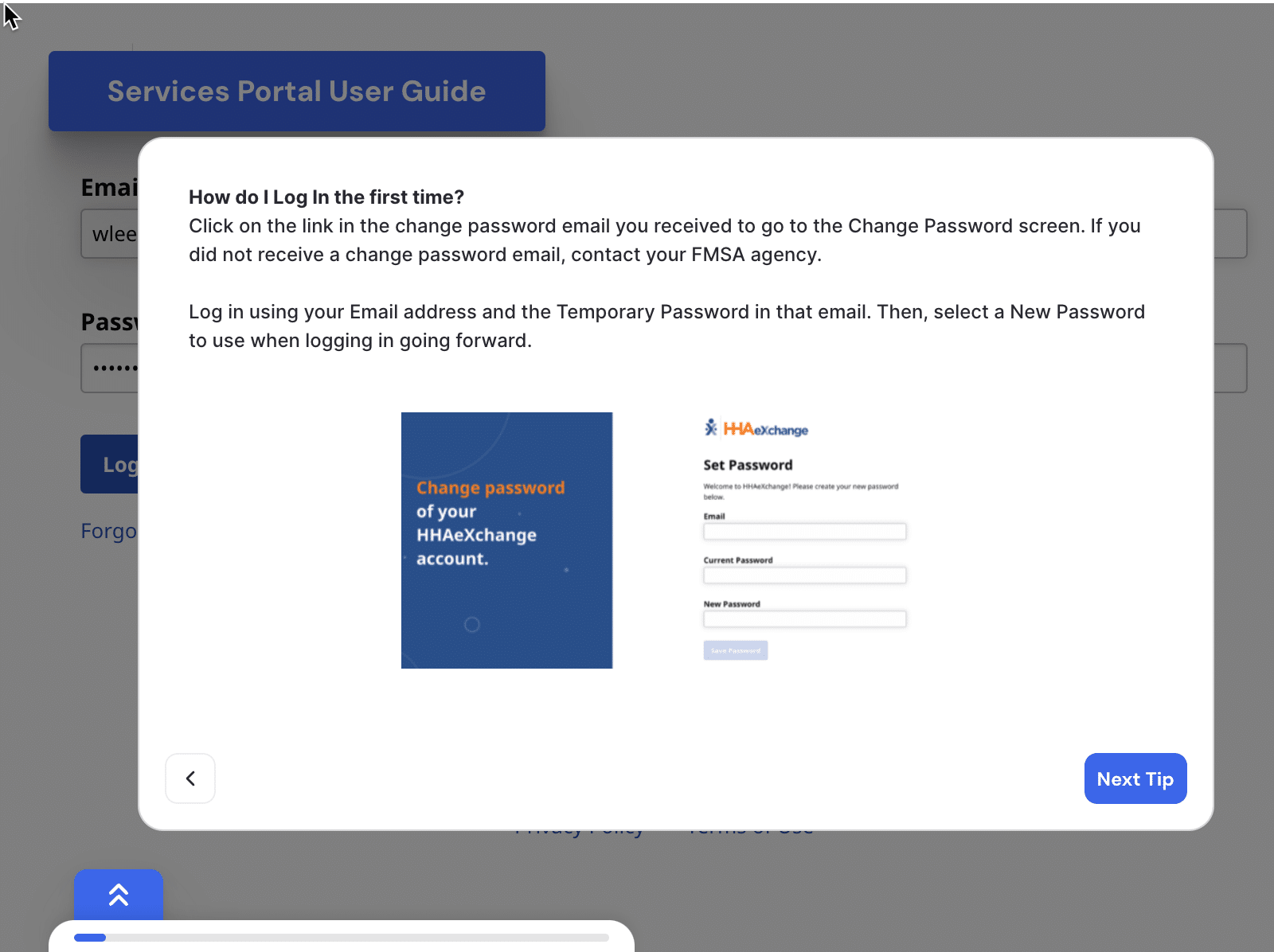 |
Mobile App Training Videos
– Optional for CDS Employers
- Lesson 01 – Getting Started on the HHAeXchange+ Mobile App
- Lesson 02 – Resetting Your HHAeXchange+ Mobile App Password
- Lesson 03A – Terminology
- Lesson 03B – Logging into the HHAeXchange+ Mobile App
- Lesson 04 – Changing or Adding a Provider in the HHAeXchange+ Mobile App
- Lesson 05 – Navigating the HHAeXchange+ Mobile App
- Lesson 07 – Using the HHAeXchange+ Mobile App Chat Feature
- Lesson 09 – Additional Features and Functions of the HHAeXchange+ Mobile App: Settings, Help and Legal
- Lesson 10 – Clocking In and Out Using the HHAeXchange+ Mobile App
- Lesson 11 – How to Create an Unscheduled Visit
- Lesson 12 – Using the Visit Details Section of the HHAeXchange+ Mobile App
- Lesson 13 – How to View of Complete Duties Using the HHAeXchange+ Mobile App
- Lesson 14 – Adding Visit Notes Using the HHAeXchange+ Mobile App
- Lesson 15 – How to View or Edit Member Preferences Using the HHAeXchange+ Mobile App
- Lesson 16 – HHAeXchange+ Mobile App User Guide
- Lesson 17 – Using the Offline Mode of the HHAeXchange+ Mobile App
- Interactive Voice Response (IVR) Video
Additional Documentation
Clock in / Clock out
- HHAeXchange+ Mobile App Knowledge Base
- EVV Phone Call Instructions (PDF)
- Alternative Device (FOB) Service Provider User Guide (PDF)
Services Portal
Service Provider Training
Clock in / Clock out Videos
- Lesson 01 – Getting Started on the HHAeXchange+ Mobile App
- Lesson 02 – Resetting Your HHAeXchange+ Mobile App Password
- Lesson 03A – Terminology
- Lesson 03B – Logging into the HHAeXchange+ Mobile App
- Lesson 04 – Changing or Adding a Provider in the HHAeXchange+ Mobile App
- Lesson 05 – Navigating the HHAeXchange+ Mobile App
- Lesson 07 – Using the HHAeXchange+ Mobile App Chat Feature
- Lesson 09 – Additional Features and Functions of the HHAeXchange+ Mobile App: Settings, Help and Legal
- Lesson 10 – Clocking In and Out Using the HHAeXchange+ Mobile App
- Lesson 11 – How to Create an Unscheduled Visit
- Lesson 12 – Using the Visit Details Section of the HHAeXchange+ Mobile App
- Lesson 13 – How to View of Complete Duties Using the HHAeXchange+ Mobile App
- Lesson 14 – Adding Visit Notes Using the HHAeXchange+ Mobile App
- Lesson 15 – How to View or Edit Member Preferences Using the HHAeXchange+ Mobile App
- Lesson 16 – HHAeXchange+ Mobile App User Guide
- Lesson 17 – Using the Offline Mode of the HHAeXchange+ Mobile App
- Interactive Voice Response (IVR) Video
Additional Documentation
Clock in / Clock out
Introducción
Bienvenidos al Centro de Recursos de Servicios Dirigidos al Consumidor. Es un lugar excelente para que los empleados y empleadores de CDS aprendan a trabajar con HHAeXchange. Hay videos, presentaciones y más para que usted conozca el Portal de servicios y los métodos para registrar su entrada y su salida. Los métodos incluyen: la Aplicación para dispositivos móviles HHAeXchange, Teléfono (fijo) y dispositivo alternativo. Son herramientas gratuitas que ofrece la Comisión de Servicios Humanos y de Salud de Texas (Texas Health and Human Services Commission o HHSC).
¿Qué es el Portal de servicios?
El Portal de servicios es una herramienta en línea. Los Empleadores y los Empleados de CDS lo usan para gestionar sus visitas.
Un Empleador de CDS puede:
- Ver visitas.
- Aprobar visitas.
- Denegar visitas.
- Actualizar visitas.
- Programar visitas.
Un Empleado de CDS puede:
- Ver visitas.
- Solicitar actualizaciones de la visita.
- Impugnar las actualizaciones de las visitas.
- Responder a cambios realizados por el empleador a la visita.
¿Cómo se usa la aplicación para dispositivos móviles?
Los empleados usan la aplicación para dispositivos móviles HHAeXchange para registrar su llegada y su salida, y para registrar sus labores.
Teléfono (fijo)
A cada agencia se le asignará un número telefónico único gratuito y los empleados de CDS pueden llamar desde el teléfono (fijo) particular del miembro para registrar su hora de inicios y de salida.
Dispositivo alternativo (Alternative Device o AD)
Un AD es un dispositivo de tamaño pequeño que se usa para la Verificación Electrónica de Visitas (Electronic Visit Verification o EVV). La EVV se puede hacer desde cualquier teléfono o a través de la aplicación para dispositivos móviles de HHAX dentro de un plazo de siete días después de la visita.
¿Qué necesito hacer?
- Los Empleados y Empleadores de CDS deben completar la capacitación interactiva y/o ver los videos de capacitación.
- El acceso al Portal de servicios es gestionado por la FMSA para cada Empleado de CDS, Empleador de CDS y Representante de Empleador de CDS.
Portal de servicios: https://ucp.hhaexchange.com/login - Descargar la aplicación para dispositivos móviles. Enlace hacia las aplicaciones UMA en la Apple App Store y la Google Play Store
¡Regrese a esta página ocasionalmente para obtener nueva información necesaria para su agencia!
Entrenamiento
Empleadores y Empleados de Servicios Dirigidos por el consumidor deben completar la capacitación para usuarios y llenar el Certificado de Culminación de la Capacitación para Servicios Dirigidos por el Consumidor
Capacitación para Empleados CDS:
- Debe completer la capacitacion de Servicios del Portal de HHAeXchange.
- Debe completar la capacitación de métodos de EVV.
Capacitación para Empleadores CDS:
- Debe completer la capacitacion de Servicios del Portal de HHAeXchange.
Capacitacion Opcional:
- Debe completar la capacitación de métodos de EVV si usted prefiere.
Tutoriales interactivos y documentación
Tutoriales interactivos
|
|
Documentación y vídeos
Por los empleados de CDS:
- Lección 01 – Introducción a la Aplicación Móvil HHAeXchange+
- Lección 02 – Restablecimiento de la Contraseña de la Aplicación Móvil HHAeXchange+
- Lección 03A – Terminología
- Lección 03B – Iniciar Sesión en la Aplicación Móvil HHAeXchange+
- Lección 04 – Cómo Cambiar o Agregar un Proveedor en la Aplicación Móvil HHAeXchange+
- Lección 05 – Navegando por la Aplicación Móvil HHAeXchange+
- Lección 7 – Cómo Utilizar la Función de Chat de la Aplicación Móvil HHAeXchange+
- Lección 09 – Características y funciones adicionales de la Aplicación Móvil HHAeXchange+: Configuración, Ayuda y Aviso Legal
- Lección 10 – Registrar la entrada y salida con la Aplicación Móvil HHAeXchange+
- Lección 11 – Cómo Crear una Visita no Programada
- Lección 12 – Cómo Usar la Sección de Detalles de la Visita de la Aplicación Móvil HHAeXchange+
- Lección 13 – Cómo ver o Completar Tareas Usando la app Móvil HHAeXchange+
- Lección 14 – Añadir Notas de visita con la Aplicación Móvil HHAeXchange+
- Lección 15 – Como ver o Editar las Preferncias de los Miembros Mediante la Aplicación Móvil HHAeXchange+
- Lección 16 – Guía del Usuario de la Aplicación Móvil HHAeXchange+ y Capacitacion para Cuidadores de Nevvon
- Lección 17 – Uso del Modo sin Conexión de la Aplicación Móvil HHAeXchange+
- Guía triple de llamadas para proveedores de servicios (PDF)
- Instrucciones para llamadas telefónicas de EVV (PDF)
- Usando el dispositivo alternativo (FOB)
- Introducción al uso de un dispositivo alternativo (dispositivo FOB)
Entrenamiento
Documentación y vídeos
Por los Empleados de CDS:
- Lección 01 – Introducción a la Aplicación Móvil HHAeXchange+
- Lección 02 – Restablecimiento de la Contraseña de la Aplicación Móvil HHAeXchange+
- Lección 03A – Terminología
- Lección 03B – Iniciar Sesión en la Aplicación Móvil HHAeXchange+
- Lección 04 – Cómo Cambiar o Agregar un Proveedor en la Aplicación Móvil HHAeXchange+
- Lección 05 – Navegando por la Aplicación Móvil HHAeXchange+
- Lección 7 – Cómo Utilizar la Función de Chat de la Aplicación Móvil HHAeXchange+
- Lección 09 – Características y funciones adicionales de la Aplicación Móvil HHAeXchange+: Configuración, Ayuda y Aviso Legal
- Lección 10 – Registrar la entrada y salida con la Aplicación Móvil HHAeXchange+
- Lección 11 – Cómo Crear una Visita no Programada
- Lección 12 – Cómo Usar la Sección de Detalles de la Visita de la Aplicación Móvil HHAeXchange+
- Lección 13 – Cómo ver o Completar Tareas Usando la app Móvil HHAeXchange+
- Lección 14 – Añadir Notas de visita con la Aplicación Móvil HHAeXchange+
- Lección 15 – Como ver o Editar las Preferncias de los Miembros Mediante la Aplicación Móvil HHAeXchange+
- Lección 16 – Guía del Usuario de la Aplicación Móvil HHAeXchange+ y Capacitacion para Cuidadores de Nevvon
- Lección 17 – Uso del Modo sin Conexión de la Aplicación Móvil HHAeXchange+
- Guía triple de llamadas para proveedores de servicios (PDF)
- Instrucciones para llamadas telefónicas de EVV (PDF)
- Usando el dispositivo alternativo (FOB)
- Introducción al uso de un dispositivo alternativo (dispositivo FOB)